Capacity planning helps businesses understand whether their teams have enough available time and resources to handle current and upcoming work. Instead of looking only at the number of employees available, a capacity plan considers working hours, existing commitments, leave, holidays, project demand, and future workload.
For project-based teams, a capacity planning template provides a simple way to organize this information and identify potential capacity gaps before they affect project delivery.
A basic template does not need to be complicated. It should make it easy to compare available capacity, committed work, future demand, and remaining capacity.
What Is a Capacity Planning Template?
A capacity planning template is a structured document used to compare the capacity a team has available with the amount of work it needs to complete.
A simple template can include:
| Team/Employee | Available Hours | Committed Hours | Remaining Capacity | Future Demand | Capacity Gap |
|---|---|---|---|---|---|
| Team A | 160 | 130 | 30 | 50 | 20 |
| Team B | 160 | 145 | 15 | 20 | 5 |
| Team C | 160 | 100 | 60 | 30 | -30 |
The purpose is not to create a perfect mathematical model. The goal is to create a clear view of:
Available Capacity → Current Commitments → Future Demand → Capacity Gap
This helps managers understand where capacity exists and where additional resources or workload changes may be required.
Why Use a Capacity Planning Template?
Without a structured capacity plan, teams may commit to new projects without knowing whether they have enough usable capacity.
This can lead to:
- Overloaded employees
- Delayed projects
- Missed deadlines
- Uneven workload distribution
- Unplanned hiring
- Underutilized employees
- Limited visibility into future staffing needs
A template gives managers a consistent way to review capacity before making project or staffing decisions.
What Should a Capacity Planning Template Include?
A useful template should capture the information that affects actual capacity.
1. Team or Employee
Start by identifying the person or team being planned.
This allows managers to see whether capacity is available at an individual or team level.
2. Available Hours
Calculate how much working time is available during the planning period.
For example:
10 employees × 40 hours = 400 theoretical hours per week
However, theoretical capacity is not the same as usable project capacity.
3. Committed Hours
Record the time already allocated to existing projects.
If current projects require 350 hours and usable capacity is 400 hours, there may be 50 hours remaining.
4. Remaining Capacity
This shows how much capacity is still available after existing commitments.
5. Future Demand
Add expected requirements from upcoming projects, new clients, renewals, or seasonal demand.
6. Capacity Gap
Compare remaining capacity with future demand.
A positive gap can indicate additional capacity is required, while available unused capacity may indicate room for additional work.
Capacity Planning Example for an Agency
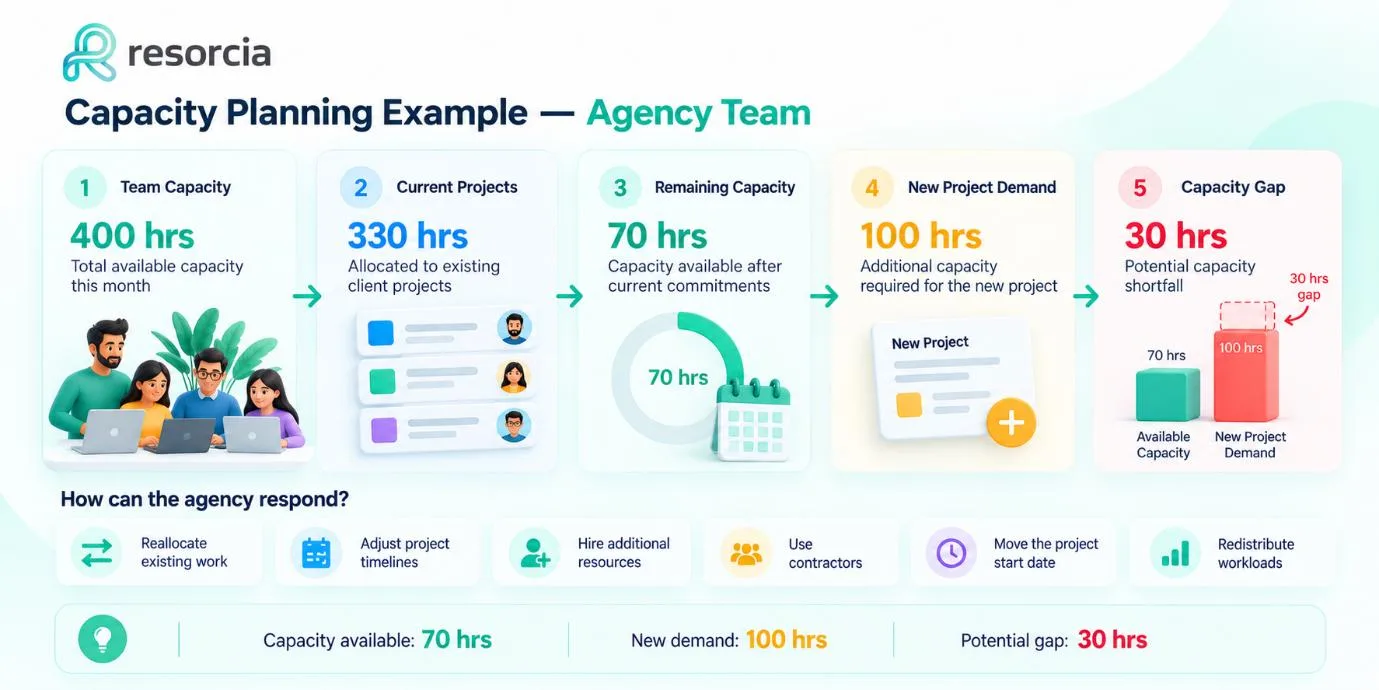
Consider a development team with 400 available hours in a month.
Existing client projects require 330 hours.
That leaves approximately 70 hours of capacity.
A new project requires 100 hours.
The team therefore has a potential 30-hour capacity gap.
Instead of accepting the project immediately and discovering the shortage later, the manager can evaluate different options.
Possible actions include:
- Reallocating existing work
- Adjusting project timelines
- Hiring additional resources
- Using contractors
- Moving the project start date
- Redistributing workloads
This is where a capacity planning template becomes useful. It makes the gap visible before it becomes a delivery problem.
Capacity Planning Example for a Consultancy
Capacity is not only about the number of available people. Skills also matter.
Imagine a consultancy with several consultants. Overall team capacity may appear healthy, but a new project requires a specific specialist skill.
Even if the company has available hours, it may not have enough capacity for that particular skill.
The business could respond by:
- Moving work to another qualified employee
- Adjusting project schedules
- Hiring for the required skill
- Using an external specialist
- Rebalancing existing assignments
This shows why effective team capacity planning should consider both available time and the skills required for upcoming work.
Simple Capacity Planning Template
Businesses can start with a basic structure like this:
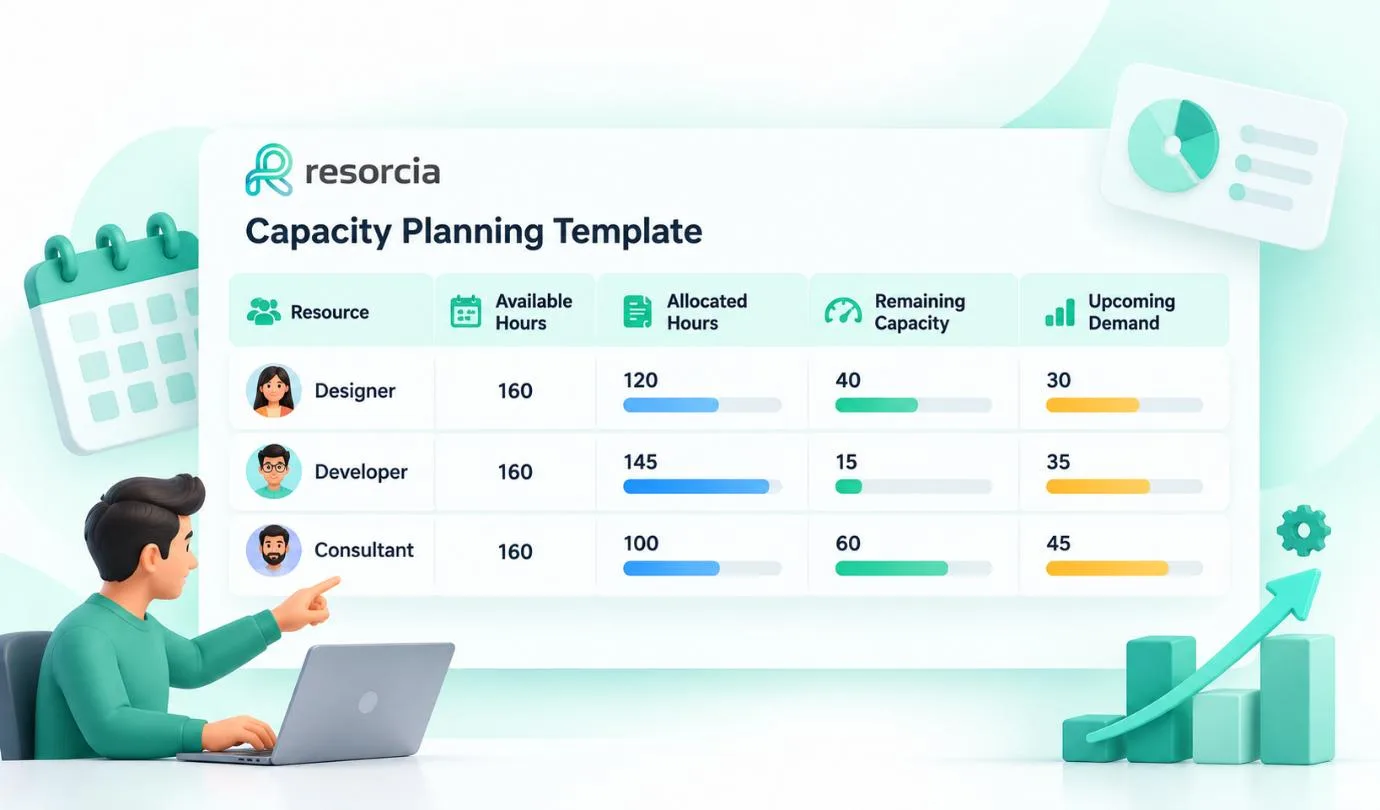
The template can be expanded with additional fields depending on the organization's needs.
For example:
- Skills
- Leave
- Holidays
- Project
- Utilization
- Department
- Project priority
- Forecast demand
The more complex the organization becomes, the more difficult this information can be to maintain manually.
Capacity Planning vs. Resource Planning
Capacity planning and resource planning are closely connected, but they answer different questions.
| Capacity Planning | Resource Planning |
|---|---|
| Focuses on available capacity | Focuses on resources required |
| Compares capacity with demand | Determines how resources should be used |
| Identifies capacity gaps | Helps allocate resources |
| Looks at workload levels | Considers people, skills, projects, and assignments |
| Supports future planning | Supports execution and allocation |
For example:
Capacity planning:
“We will need another 200 hours of development capacity next month.”
Resource planning:
“We need two developers with the required skills to handle that work.”
Both processes are important for project-based organizations.
Capacity Planning Metrics to Track
Once a capacity planning template is established, teams can monitor several useful metrics.
Available Capacity
The number of hours available for project work during a defined period.
Planned Utilization
The percentage of available capacity already assigned to work.
Capacity Gap
The difference between available capacity and expected demand.
Workload Distribution
Shows whether work is concentrated among particular employees or teams.
Forecast Demand
Estimates how much capacity future projects may require.
Utilization Trend
Shows whether capacity usage is increasing, decreasing, or remaining stable.
Reviewing these capacity planning metrics regularly can provide better visibility than checking capacity only when a project is already facing problems.
How Software Can Improve Capacity Planning
A spreadsheet can be useful for a small team with relatively stable projects. As the number of employees, projects, and changing requirements increases, however, maintaining capacity information manually becomes more difficult.
Capacity planning software can bring availability, project assignments, workload, leave, holidays, and other resource information into a more connected workflow.
This can help managers:
- View current availability
- Identify overloaded resources
- Compare capacity with demand
- Monitor workload distribution
- Plan future resource requirements
- Review actual time through timesheets
Resorcia brings scheduling, timesheets, leave management, holiday calendars, and reporting into one platform, giving project-driven teams a shared view of who is available, who is overloaded, and where team time is going.
Best Practices for Using a Capacity Planning Template
Keep Capacity Data Updated
A capacity plan becomes less useful when availability, assignments, or project requirements are outdated.
Account for Leave and Holidays
Theoretical working hours should not be treated as actual project capacity. Planned leave and holidays need to be considered.
Plan Beyond the Current Week
Look at upcoming projects, expected demand, and changing workloads instead of focusing only on current assignments.
Review Individual Workloads
A team can appear to have available capacity while individual employees are already overloaded.
Use Actual Time Data
Timesheets can provide useful context by showing how planned work compares with actual working time.
Review the Plan Regularly
Capacity changes as projects start, finish, or change scope. A good capacity planning process should therefore be continuous rather than a one-time exercise.
Conclusion
A capacity planning template gives teams a practical way to understand available capacity, current commitments, future demand, and potential gaps.
The basic process is straightforward:
Calculate Capacity → Measure Demand → Compare → Forecast → Take Action
For smaller teams, a simple spreadsheet may be enough to get started. As projects and resource requirements become more complex, dedicated capacity planning software can provide greater visibility and make it easier to connect scheduling, workload, availability, and time data.
The goal is not simply to keep everyone busy. It is to understand whether the right amount of capacity is available for the work the business has committed to—and what needs to change when demand exceeds that capacity.